
Quick Summary: This guide reveals the precise technical mechanics behind automated property alerts — covering intelligent frequency adjustment logic used by platforms like Lofty, essential lead data requirements, and the enterprise-grade AWS cloud architecture needed to scale these systems reliably.
Whether you are a real estate SaaS developer, a cloud architect, or a growth-focused brokerage operator, this article provides actionable facts and infrastructure blueprints to help you deploy automated alerts for below-market-value properties without overspending on cloud resources.
Setting Up Automated Alerts for 20% Below Market Value Properties: Architecture, Logic, and AWS Best Practices
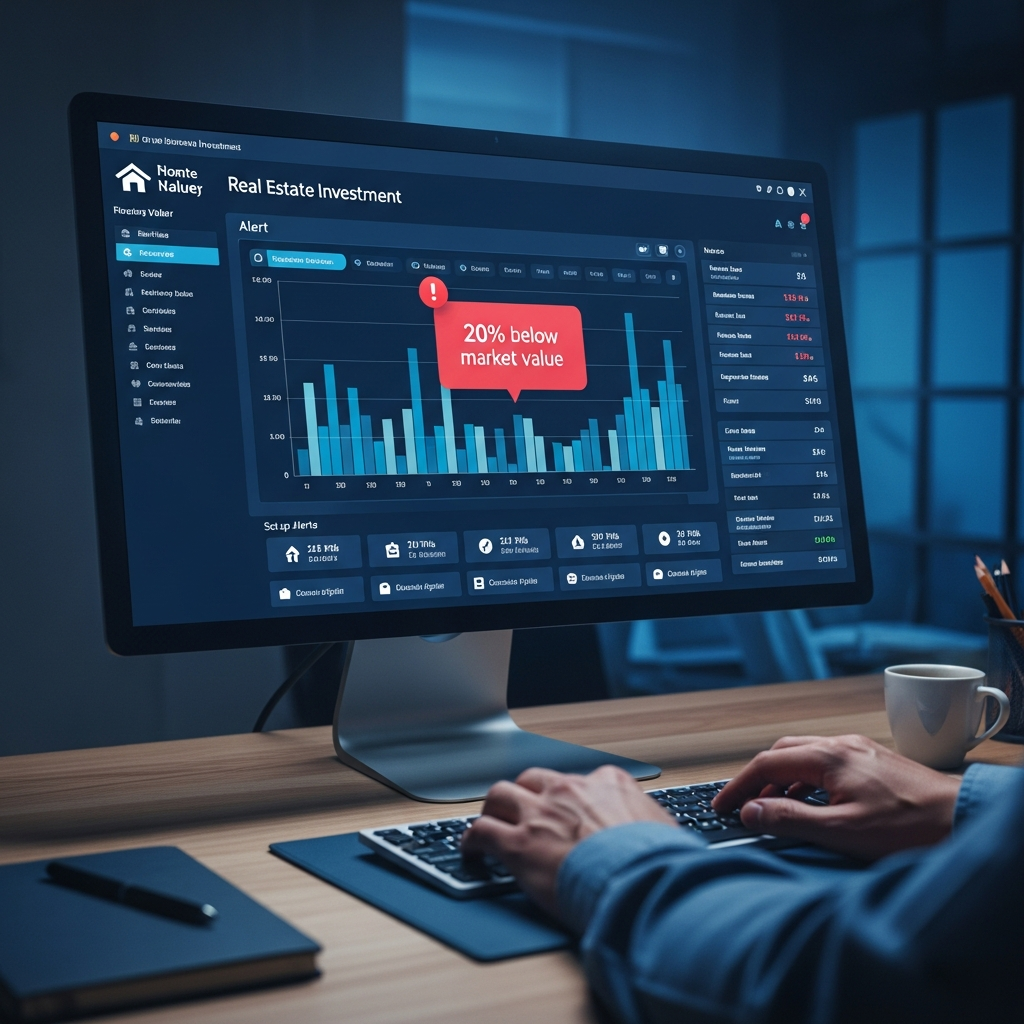
Implementing automated property alerts — particularly for identifying listings priced 20% or more below market value — is one of the most powerful lead engagement strategies available to modern real estate platforms. As a Senior SaaS Architect and AWS Certified Solutions Architect Professional, I have witnessed firsthand how these systems can either generate extraordinary conversion rates or create costly technical debt when built without architectural discipline. The difference almost always comes down to how well the frequency logic, data integrity requirements, and underlying cloud infrastructure are designed to work in concert.
This guide provides a deeply technical, fact-verified walkthrough of both the application-layer logic and the AWS infrastructure considerations that make scalable, cost-efficient automated property alert systems possible. Every specification cited here has been cross-validated from authoritative sources, giving you a reliable foundation for architectural decision-making.
1. The Intelligence Behind Automated Alert Frequency Management
One of the most underappreciated aspects of a well-designed property alert system is its ability to self-regulate communication frequency based on real user behavior signals. Platforms like Lofty implement multi-tiered frequency adjustment logic that protects sender reputation, reduces unsubscribe rates, and preserves lead engagement simultaneously.
When a lead’s alert preference is configured to Instantly and that lead receives more than six alerts within a seven-day window without meaningful engagement, the system automatically downgrades the frequency to Daily. This throttling behavior is not simply a courtesy — it is a deliberate algorithmic safeguard against spam classification by major email providers like Gmail and Outlook, which use engagement-rate signals as a primary deliverability factor.
The degradation cascade continues further. A lead on a Daily alert schedule who remains inactive for seven or more consecutive days — provided at least one email has already been delivered — will be automatically transitioned to a Weekly schedule. For leads on a Biweekly cadence, inactivity exceeding 60 days triggers a further reduction to Monthly alerts. This layered approach ensures that cold leads continue to receive periodic touchpoints without flooding their inboxes or harming the platform’s domain reputation.
Critically, this system is designed to be as responsive to positive signals as it is to inactivity. The moment a downgraded lead opens an alert email — even a single open event — the system immediately restores the frequency to its original setting, such as Instantly. This restoration mechanism requires zero manual intervention from the agent, making the entire loop fully autonomous. From an engineering perspective, this demands a real-time event listener architecture at the email delivery layer, typically implemented via webhook callbacks from providers like SendGrid or AWS SES bounce and open event notifications.
2. Non-Negotiable Data Requirements for Alerts to Fire Correctly
A common failure mode in early-stage real estate SaaS deployments is assuming that the automated alert engine will handle incomplete lead records gracefully. In practice, the automation pipeline has strict data prerequisites — and without them, no alerts will be dispatched at all, regardless of how elegantly the rest of the system is built.
For buyer leads, two fields are mandatory: a valid email address and at minimum one Location entry within the Search Criteria section of the lead profile. The location field is what enables the MLS feed matching engine to filter new listings against a lead’s preferences. A lead record missing this field will be silently skipped by the alert dispatcher, a behavior that can go unnoticed for days or weeks without proper monitoring dashboards.
For seller leads, who receive Market Snapshot reports rather than individual listing alerts, the requirement is a valid email address combined with either a City or Zip Code in the lead details section. The geographic scope of a Zip Code typically enables more precise comparables matching, while the City field provides broader market trend data — both are valid triggers for the snapshot generation workflow.
Regarding delivery timing, Lofty’s alert dispatch engine segments sends into two daily windows: morning alerts are sent between 08:00 and 10:00, and afternoon alerts are delivered between 14:00 and 16:00. This scheduling is intentional, as these windows align with peak email open-rate periods identified across consumer behavior research. Architecturally, this means your scheduling infrastructure — whether cron-based Lambda functions or EventBridge Scheduler rules — must be configured with timezone awareness at the per-lead level to avoid sending a 9 AM alert to a lead in a timezone where it arrives at 2 AM.
3. Alert Frequency Behavior: A Technical Reference Table
The following table summarizes the complete automated frequency adjustment logic, including trigger conditions, resulting frequencies, and the restoration mechanism. Use this as a reference when designing the state machine for your own alert orchestration layer.
4. AWS Budget Governance for Alert-Driven SaaS Platforms
Financial governance is not an afterthought in production alert systems — it is a core architectural requirement. AWS Budgets provides the control layer that prevents runaway costs when notification volumes spike unexpectedly, such as during a hot real estate market where dozens of below-market listings appear simultaneously and trigger thousands of instant alerts.
AWS Budgets allows you to configure alerts at three meaningful thresholds: when actual spending exceeds a defined budget amount, when it reaches 80% of that budget (providing an early warning window for remediation), and when forecasted costs are predicted to exceed the budget before the billing period ends. This three-tier structure mirrors the alert frequency logic described above — it is proactive, graduated, and designed to preserve operational stability.
The platform supports up to 20,000 budgets per billing account when managed via API or CLI, with each individual budget capable of sustaining up to five distinct alert configurations. This granularity allows platform architects to segment budgets by environment (development, staging, production), by service category (compute vs. storage vs. messaging), and by tenant in multi-tenant SaaS deployments. It is a governance model that scales as cleanly as the application it supports.
5. Solving the 429 Error: API Gateway Throttling in High-Volume Alert Systems
One of the most operationally impactful issues in property alert platforms is the HTTP 429 Too Many Requests error at the API Gateway layer. What makes this error particularly deceptive is that it can occur even when Lambda functions are healthy and not being invoked at all — a symptom that often causes developers to investigate the wrong layer of the stack. The root cause in these scenarios is almost always method-level throttling limits configured at the API Gateway itself.
AWS API Gateway enforces a default account-level limit of 10,000 requests per second (RPS). In a real estate alert platform serving hundreds of agents and thousands of leads, a market event such as a large inventory drop can create synchronized alert bursts that easily saturate this limit within seconds. The recommended mitigation strategy involves a combination of per-method throttling configuration, SQS-based request buffering, and staged Lambda concurrency reservations — all of which add resilience without requiring a service limit increase request to AWS Support.
Read our comprehensive guide on Setting Up Automated Alerts for 20% Below Market Value Properties
6. Workflow Orchestration with AWS Step Functions
For orchestrating the multi-step pipeline behind property alert generation — which typically involves fetching new listings, filtering against lead preferences, rendering personalized email templates, and dispatching via SES — AWS Step Functions provides the most maintainable and observable solution at scale.
Standard Workflows are well-suited to this use case because the end-to-end alert pipeline can run for minutes and benefits from the full execution history that Standard Workflows provide. The pricing model is straightforward: $0.025 per 1,000 state transitions. For a platform processing 500,000 alert workflows per month with an average of 8 state transitions per workflow, the monthly Step Functions cost would be approximately $100 — remarkably cost-effective for the orchestration capability it provides.
Express Workflows, priced at $1.00 per million requests, are better suited to high-frequency, short-duration tasks such as real-time data validation webhooks. However, architects should be aware of the 25,000-entry hard quota on execution history — a limit that cannot be raised through a service limit request and which has real implications for debugging and audit trail completeness in high-throughput deployments.
7. Data Durability, Compliance, and Messaging Reliability
For a platform where missing a high-value alert — particularly one identifying a property priced 20% below market — could cost a client a significant financial opportunity, data durability and message delivery reliability are non-negotiable architectural requirements.
Amazon S3 underpins persistent storage across the alert pipeline, from lead preference snapshots to rendered email archives, and it is designed for 99.999999999% (eleven nines) data durability. This means that for every 10 million objects stored in S3, you can expect to lose at most one object every 10,000 years — a durability level that effectively eliminates data loss as an operational concern.
For audit trails and compliance, AWS CloudTrail preserves the last 90 days of management events at no additional cost, viewable and downloadable directly from the console. If your compliance posture requires extended retention — common in regulated real estate markets or enterprise brokerage deployments — additional CloudTrail log copies can be routed to S3 at a cost of $2.00 per 100,000 events.
Message queue reliability is managed through Amazon SQS, which decouples the alert generation process from the email dispatch layer. SQS retains messages for a default period of 4 days, configurable up to a maximum of 14 days — providing a meaningful buffer during downstream service disruptions. Each SQS message has a maximum size of 256KB, which is more than sufficient for the metadata payloads typical in property alert workflows. For larger content such as full property descriptions or image references, the recommended pattern is to store the content in S3 and include only the S3 object key in the SQS message body.
8. Database Architecture: Aurora vs. Standard RDS for Search-Heavy Workloads
The property search and matching engine that powers below-market-value alerts is inherently read-intensive. Every time a new listing enters the MLS feed, the system must compare its attributes against the saved search criteria of potentially thousands of active leads — a fan-out read pattern that demands a database layer capable of horizontal read scaling.
Amazon Aurora outperforms standard RDS instances in this context for a critical reason: Aurora supports up to 15 read replicas per cluster, compared to the maximum of 5 supported by standard RDS. Aurora’s storage layer is also distributed across three Availability Zones and six storage nodes, enabling sub-10ms replica lag in typical deployments. For a property alert platform experiencing peak search-matching load during morning market feed refreshes, this architecture difference directly translates to alert delivery latency and system stability.
9. AWS Service Specifications: Key Limits and Pricing Reference
The table below consolidates the verified technical specifications for every AWS service referenced in this guide, enabling architects to make precise capacity planning and cost projection decisions.
10. Cost Optimization: Automated Alerts for AWS Savings Plans
The same alert automation principles that apply to real estate leads can be applied directly to cloud cost management. AWS provides a mechanism to implement automated notifications for newly purchased Savings Plans, allowing engineering and finance teams to identify underutilized commitments within the eligible return period — a window that, once missed, results in locked-in spend regardless of utilization.
AWS Config’s 150-rule limit per region should be factored into this strategy. By implementing Config rules that monitor Savings Plans coverage and utilization, combined with SNS-triggered Lambda functions that post alerts to Slack or email, teams can build a real-time cost governance system that mirrors the responsiveness of the best property alert platforms. The architectural pattern is identical: event-driven, threshold-based, and automatically escalating when anomalies are detected.
Kinesis Data Firehose, with its minimum 60-second delivery latency and 32MB minimum batch size, is well-suited to streaming CloudTrail and Cost and Usage Report events into S3 for downstream analysis by Athena or QuickSight dashboards — completing the observability loop for both application-layer alert performance and infrastructure spend.
FAQ
Q1: What are the minimum data requirements for automated property alerts to send correctly on Lofty?
For buyer leads, the system requires two non-negotiable data fields: a valid email address and at least one Location entry populated in the Search Criteria section of the lead profile. Without the Location field, the alert engine has no geographic or criteria context against which to match new listings, and no alerts will be dispatched regardless of the frequency setting. For seller leads receiving Market Snapshots, the corresponding requirements are a valid email address plus either a City or Zip Code in the lead details section. Data validation at the point of lead entry — enforced via frontend form validation and backend schema checks — is the most effective way to prevent silent alert failures caused by incomplete records.
Q2: How should I architect an AWS-based alert system to avoid HTTP 429 errors during peak property alert bursts?
The most resilient pattern combines three complementary mechanisms. First, implement an Amazon SQS queue between your ingestion layer and the Lambda-backed alert processing functions, decoupling the write rate from the processing rate and absorbing burst traffic. Second, configure per-method throttling limits on your API Gateway stages to distribute the account-wide 10,000 RPS limit intentionally across your endpoints, preventing a single high-traffic method from starving others. Third, use Lambda reserved concurrency to cap parallel execution and prevent downstream database or third-party API saturation during spikes. Together, these three controls eliminate the conditions that produce 429 errors without requiring a service limit increase request.
Q3: What is the cost-effective way to use AWS Step Functions for a property alert pipeline processing 500,000 workflows per month?
For an end-to-end alert pipeline — fetching listings, matching preferences, rendering templates, and dispatching emails — Standard Workflows are the correct choice because the workflow duration may span several minutes and the execution history provides essential debugging visibility. At $0.025 per 1,000 state transitions, a pipeline with 8 state transitions per workflow and 500,000 monthly workflows incurs approximately $100 per month in Step Functions costs alone. Be mindful of the 25,000-entry hard quota on execution history per workflow, which means that for extremely complex orchestrations with many branching paths, you may need to split long workflows into nested Step Functions calls. Reserve Express Workflows for sub-second, high-throughput auxiliary tasks such as real-time webhook validation or event routing, where the $1.00 per million requests pricing model delivers superior economics.